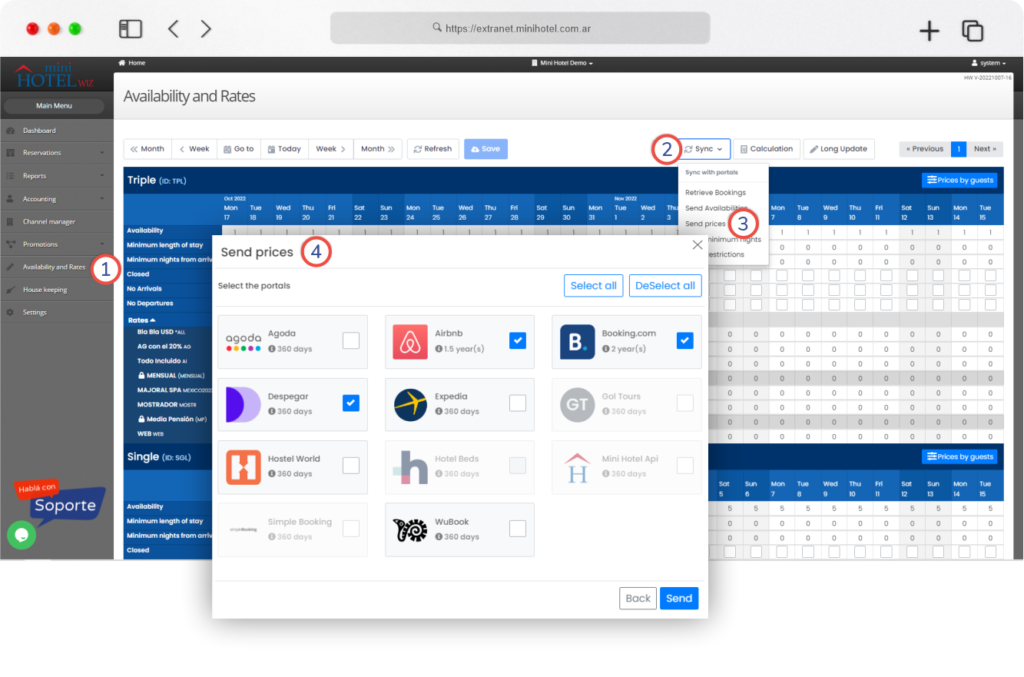
In order to have unit rates and prices reflected in the OTAs, it is necessary to follow these simple steps.
Go to the “Rates and Availability” section on the left side of the system’s home page.
Once there, click on the “Sync” button and then on the “Send prices” option. There, a window with all the available OTAs options will be displayed, and you will have to select the desired channels.
Once you have checked the desired agencies, click on “Send“.
And that’s it. The rates will be updated and synchronized in the selected portals.