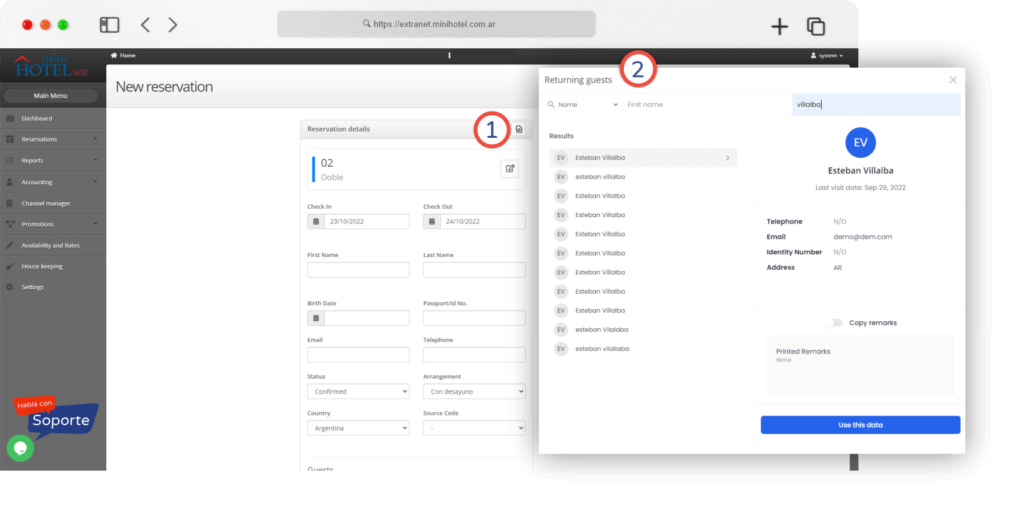
Uploading returning guest data is a useful feature to create reservations quickly, as it allows you to select customers who are already registered in the system.
In order to assign a reservation to a frequent guest, you must click on the icon of a file with a little magnifying glass, located on the right margin of the “Reservation Details” section.
This button opens a window that allows you to filter frequent guests by data such as name, document, e-mail or telephone.
To do this, you must enter the data you need to search for next to the magnifying glass, and the system will return the match.
After selecting the profile, you must click on “Use this data“, to replicate the information in the new reservation.